
Epson XP-102 Reset Key
Original price was: $20.00.$15.00Current price is: $15.00.
epson XP-102 reset key | resetter key




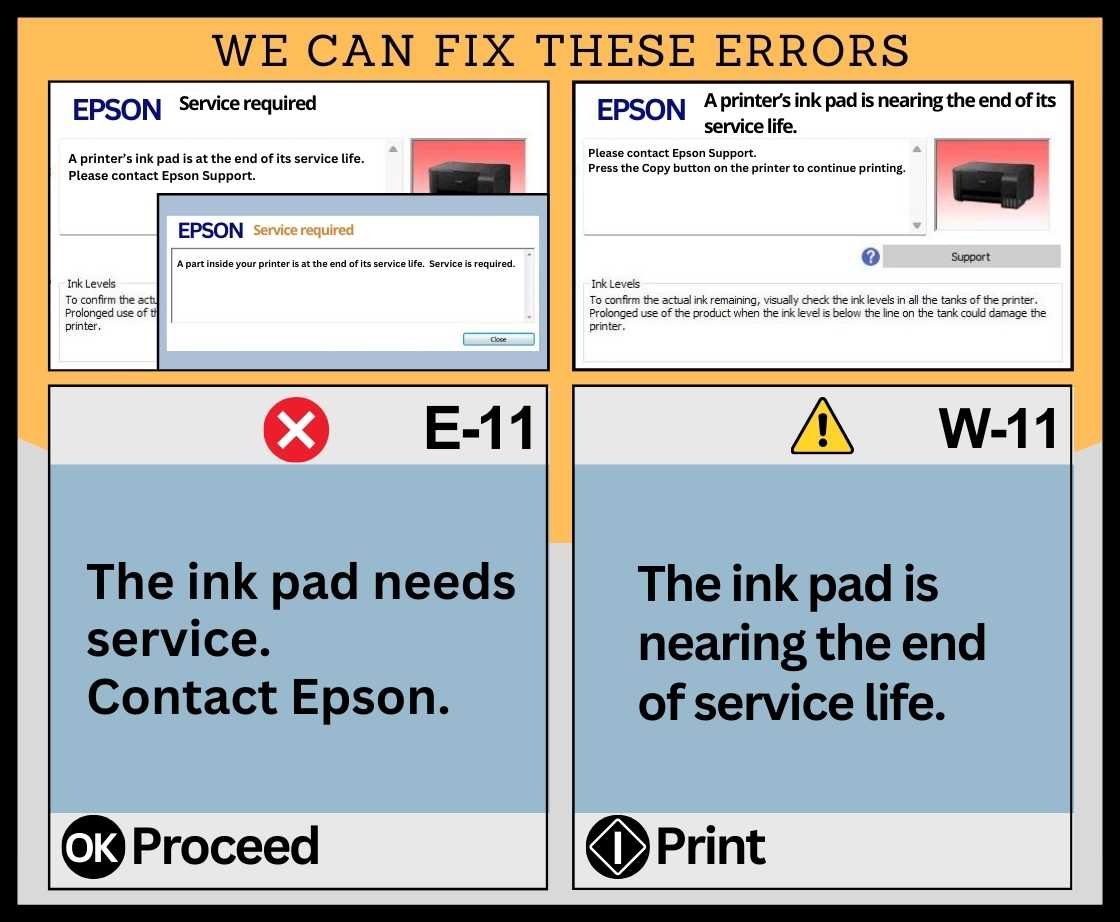
It CAN FIX the printer errors: SERVICE REQUIRED
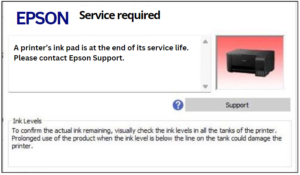
 A printer’s ink pad is at the end of its service life
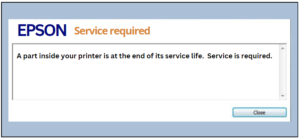
A part inside your printer is at the end of its service life
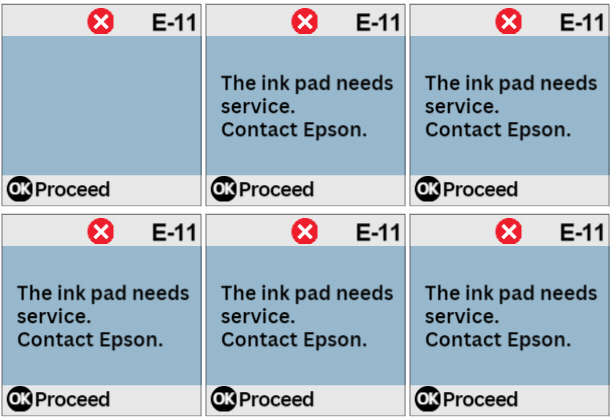
The ink pad needs service
A printer’s ink pad is nearing the end of its service life
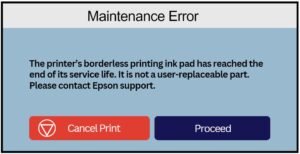
The printer’s borderless printing ink pad has reached the end of its service life
In the Epson printer, the waste ink pad counters can be reset including the MAIN PAD COUNTER, PLATEN COUNTER, and INK SYSTEM PAD COUNTER
Click here to send payment thru Western Union

- Fast, reliable & secure service
- Friendly support
- Satisfaction guaranteed
- Secure payments
Description
epson XP-102 RESET KEY
Reset Key for Printer Waste Ink Pad Counter
The Reset Key is a secure and convenient solution designed to reset your printer’s functionality when the waste ink pad counter reaches its limit. It fixes the errors: SERVICE REQUIRED-“A printer’s ink pad is at the end of its service life”, “The ink pad needs service”, “A part inside your printer is at the end of its service life”, “A printer’s ink pad is nearing the end of its service life”, “The ink pad is nearing the end of service life”, “Cannot run borderless printing until the part is replaced” and “The printer’s borderless printing ink pad has reached the end of its service life. It is not a user-replaceable part”. Instead of costly repairs or unnecessary replacements, this digital key provides a simple way to reset the counter and extend the life of your printer.
Key Features:
-
🔑 Instant Waste Ink Pad Reset: Quickly reset the “Waste Ink Pad Counter” or SERVICE REQUIRED or MAINTENANCE ERROR message.
-
🖨️ Extended Printing Functionality: Restores normal operation without replacing the entire printer or waste ink pad.
-
⚡ Easy to Use: One-time use reset key with clear step-by-step instructions—no advanced technical skills required.
-
💻 Compatible Models: Works with a wide range of Epson printer models (check supported list before purchase).
-
🔒 Secure & Reliable: Official reset solution ensures safe usage without compromising printer performance.
- 🪟 Windows OS Support: Fully compatible with Windows operating systems 7, 8, 9 10 & 11 for hassle-free use. It is not compatible with MacOS
Why Choose Reset Key?
-
Saves time and money without bringing your Epson printers to service centers or printer repair shops.
-
Provides an eco-friendly alternative to disposing of printers prematurely.
-
Trusted by users worldwide for reliable printer maintenance specifically waste ink pad counter errors.
Package Includes:
-
1× Secure Reset Key (digital delivery and instant download after purchase).
- Resetter module (an app that is used to reset the waste ink pad counter which can be readily downloadable in our website)
-
Step-by-step user guide and video tutorial on how to reset the waste ink pad counter.
Bring your printer back to printing with the Reset Key—a smart, cost-effective solution for maintaining your device.
useful information about waste ink pad counter and errors
what errors can reset key fix?
Reset key can fix the following Epson printer errors:
-SERVICE REQUIRED-
“A printer’s ink pad is at the end of its service life”
“A part inside your printer is at the end of its service life”
“The ink pad needs service”
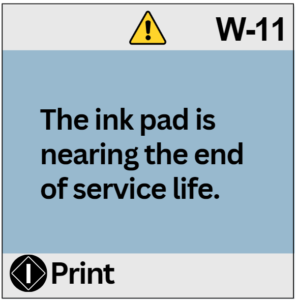
“A printer’s ink pad is nearing the end of its service life”
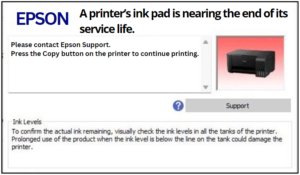
“The ink pad is nearing the end of service life”
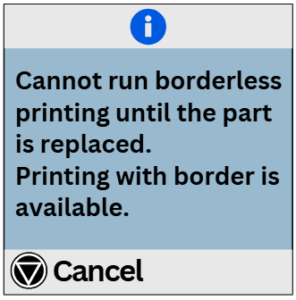
“Cannot run borderless printing until the part is replaced”
“The printer’s borderless printing ink pad has reached the end of its service life. It is not a user-replaceable part”
NOTE: While resetting the counter can allow continued use of the printer, it does not address any physical issues related to full waste pads; those should be replaced or serviced by professionals when necessary. Also, the resetting of the waste ink pad counter cannot fix the PRINT QUALITY.
In Epson printers, the following errors can be fixed by resetting the waste ink pad counter:
| Error Code | Error Description | Can be fixed |
|---|---|---|
| E-01 | A printer error has occurred. | No |
| E-02 | A scanner error has occurred. | No |
| E-11 | An ink pad needs to be replaced. | Yes |
| E-11 | The ink pad needs needs service. | Yes |
| E-12 | A borderless printing ink pad needs to be replaced. | Yes |
| – | The printer’s borderless printing ink pad has reached the end of its service life. | Yes |
| W-01 | A paper jam has occurred. | No |
| W-11 | An ink pad is nearing the end of its service life. | Yes |
| W-14 | A borderless printing ink pad is nearing the end of its service life. | Yes |
| – | Any WiFi-related error occurred. | No |
| – | Maintenance box counter | No |
| E-11 | Platen pad counter (borderless) | Yes |
| E-11 | Main pad counter | Yes |
| E-11 | Ink system pad counter | Yes |
| Recovery Mode | The printer has started in recovery mode because the firmware update failed. | No |
| – | Print Quality | No |
supported printers
| EcoTank ET-Series |
| EcoTank ET-14000, EcoTank ET-1110, EcoTank ET-1112, EcoTank ET-1113, EcoTank ET-1114, EcoTank ET-1115, EcoTank ET-1116, EcoTank ET-1118, EcoTank ET-1810, EcoTank ET-1811, EcoTank ET-1812, EcoTank ET-1813, EcoTank ET-1815, EcoTank ET-2400, EcoTank ET-2402, EcoTank ET-2403, EcoTank ET-2404, EcoTank ET-2405, EcoTank ET-2406, EcoTank ET-2408, EcoTank ET-2500, EcoTank ET-2550, EcoTank ET-2600, EcoTank ET-2610, EcoTank ET-2650, EcoTank ET-2700, EcoTank ET-2701, EcoTank ET-2702, EcoTank ET-2703, EcoTank ET-2704, EcoTank ET-2705, EcoTank ET-2706, EcoTank ET-2710, EcoTank ET-2711, EcoTank ET-2712, EcoTank ET-2713, EcoTank ET-2714, EcoTank ET-2715, EcoTank ET-2716, EcoTank ET-2718, ET-2720, EcoTank ET-2721, EcoTank ET-2722, EcoTank ET-2723, EcoTank ET-2724, EcoTank ET-2725, EcoTank ET-2726, EcoTank ET-2728, EcoTank ET-2750, EcoTank ET-2751, EcoTank ET-2756, EcoTank ET-2760, EcoTank ET-2761, EcoTank ET-2766, EcoTank ET-2800, EcoTank ET-2801, EcoTank ET-2802, EcoTank ET-2803, EcoTank ET-2804, EcoTank ET-2805, EcoTank ET-2806, EcoTank ET-2808, EcoTank ET-2810, EcoTank ET-2811, EcoTank ET-2812, EcoTank ET-2813, EcoTank ET-2814, EcoTank ET-2815, EcoTank ET-2816, EcoTank ET-2818, EcoTank ET-2820, EcoTank ET-2821, EcoTank ET-2822, EcoTank ET-2823, EcoTank ET-2824, EcoTank ET-2825, EcoTank ET-2826, EcoTank ET-2828, EcoTank ET-2850, EcoTank ET-2851, EcoTank ET-2853, EcoTank ET-2855, EcoTank ET-2856, EcoTank ET-2860, EcoTank ET-2861, EcoTank ET-2862, EcoTank ET-2864, EcoTank ET-2865, EcoTank ET-2870, EcoTank ET-2871, EcoTank ET-2873, EcoTank ET-2875, EcoTank ET-3600, EcoTank ET-4500, EcoTank ET-4550, EcoTank ET-4700, EcoTank ET-4800, EcoTank ET-M1100, EcoTank ET-M1108, EcoTank ET-M1109, EcoTank ET-M1120, EcoTank ET-M1128, EcoTank ET-M1129, EcoTank ET-M2120, EcoTank ET-M2128, EcoTank ET-M2129 |
| L-Series |
| L100, L101, L110, L111, L120, L121, L130, L132, L200, L201, L210, L211, L220, L222, L300, L301, L310, L312, L313, L350, L351, L355, L356, L358, L360, L362, L363, L364, L365, L366, L375, L376, L380, L382, L383, L385, L386, L395, L396, L405, L455, L456, L475, L485, L486, L495, L496, L550, L551, L555, L556, L557, L558, L559, L565, L566, L605, L606, L655, L656, L575, L800, L801, L805, L810, L850, L1110, L1118, L1119, L1210, L1216, L1218, L1219, L1230, L1236, L1238, L1239, L1250, L1256, L1258, L1259, L1270, L1276, L1278, L1279, L1300, L1800, L3050, L3060, L3070, L3100, L3101, L3104, L3105, L3106, L3107, L3108, L3109, L3110, L3111, L3114, L3115, L3116, L3117, L3118, L3119, L3150, L3151, L3152, L3153, L3156, L3158, L3160, L3161, L3163, L3165, L3166, L3168, L3200, L3201, L3203, L3205, L3206, L3207, L3208, L3209, L3210, L3211, L3213, L3215, L3216, L3217, L3218, L3219, L3250, L3251, L3253, L3255, L3256, L3257, L3258, L3259, L3260, L3261, L3263, L3265, L3266, L3267, L3268, L3269, L3270, L3271, L3273, L3275, L3276, L3277, L3278, L3279, L3280, L3281, L3283, L3285, L3286, L3287, L3288, L3289, L3230, L3233, L3235, L3236, L3237, L3238, L3239, L4150, L4156, L4158, L4160, L4162, L4164, L4166, L4167, L4168, L4260, L4261, L4263, L4265, L4266, L4267, L4268, L4269, L5190, L5196, L5198, L5290, L5296, L5298, L5310, L5316, L5318 |
| XP-Series |
| XP-20, XP-30, XP-33, XP-55, XP-100, XP-101, XP-102, XP-103, XP-104, XP-200, XP-201, XP-202, XP-203, XP-204, XP-205, XP-206, XP-207, XP-208, XP-210, XP-211, XP-212, XP-213, XP-214, XP-215, XP-216, XP-217, XP-220, XP-221, XP-225, XP-230, XP-231, XP-235, XP-240, XP-241, XP-242, XP-243, XP-245, XP-247, XP-255, XP-257, XP-300, XP-301, XP-302, XP-303, XP-305, XP-306, XP-310, XP-311, XP-312, XP-313, XP-314, XP-315, XP-316, XP-320, XP-322, XP-323, XP-324, XP-325, XP-330, XP-332, XP-333, XP-334, XP-335, XP-340, XP-342, XP-343, XP-344, XP-345, XP-352, XP-355, XP-400, XP-401, XP-402, XP-403, XP-405, XP-406, XP-410, XP-411, XP-412, XP-413, XP-415, XP-416, XP-420, XP-421, XP-422, XP-423, XP-424, XP-425, XP-430, XP-431, XP-432, XP-433, XP-434, XP-435, XP-440, XP-441, XP-442, XP-443, XP-445, XP-446, XP-447, XP-452, XP-455, XP-510, XP-520, XP-530, XP-540, XP-600, XP-601, XP-605, XP-610, XP-611, XP-615, XP-620, XP-621, XP-625, XP-630, XP-631, XP-635, XP-640, XP-641, XP-645, XP-700, XP-701, XP-702, XP-710, XP-720, XP-721, XP-725, XP-750, XP-760, XP-800, XP-801, XP-802, XP-810, XP-820, XP-821, XP-830, XP-850, XP-860, XP-900, XP-730, XP-950, XP-960, XP-970, XP-2100, XP-2101, XP-2105, XP-2150, XP-2151, XP-2150, XP-2200, XP-2201, XP-2205, XP-7100, XP-7101, XP-7105 |
| M-Series |
| M100, M105, M1100, M1108, M1109, M1120, M1128, M1129, M200, M205, M2120, M2128, M2129 |
Please contact us if you have trouble on using the Resetter at resetter.net@gmail.com
Reviews
There are no reviews yet.