
EPSON XP-7100: HOW TO RESET EPSON XP-7100
The Resetter allows you to reset the following essential printer counters:
- Main Pad Counter
- Platen Pad Counter
- Ink System Pad Counter
- Borderless Counter
The Resetter effectively resolves the most common printer service warnings, including:
- SERVICE REQUIRED – “A printer’s ink pad is at the end of its service life”
- “The ink pad needs service”
- “A part inside your printer is at the end of its service life”
- “A printer’s ink pad is nearing the end of its service life”
- “The ink pad is nearing the end of service life”
- “Cannot run borderless printing until the part is replaced”
- “The printer’s borderless printing ink pad has reached the end of its service life. It is not a user-replaceable part”
You’re on the right place!
You can reset the waste ink pad counters on your Epson
XP-7100 printer and continue printing!
Simply download and run the Resetter from our website, purchase a Reset Key, and follow the reset instructions provided in the “How to Reset the Waste Ink Pad Counter of Printer” guide.
Purchase
|
Reset Key |
Card, PayPal & Google Pay |
|---|---|
 |
 |
Reset guide: Solve “Inkpad needs service” or “Service required” or “A printer’s ink pad is at the end of its service life” on Epson XP-7100
🖨️ Epson XP-7100 Ink Pad Reset Guide
⚠️ reset error indicators:
Your printer shows one of the following:
- “A printer’s ink pad is at the end of its service life.”
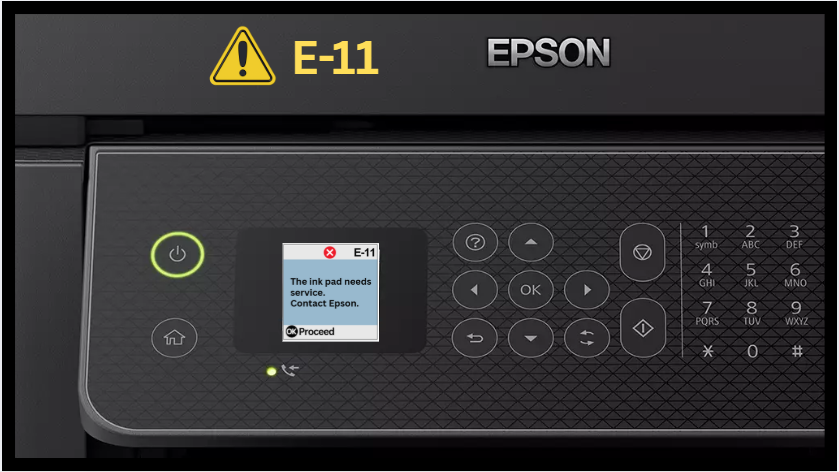
- Displays warning E-11 or “Ink pad needs service.”
- Shows error E-11 or “Service required.”
- Red lights blinking alternately or continuously.
This means the waste ink counter has reached its limit.
Printer refuses to print, LEDs flashing.
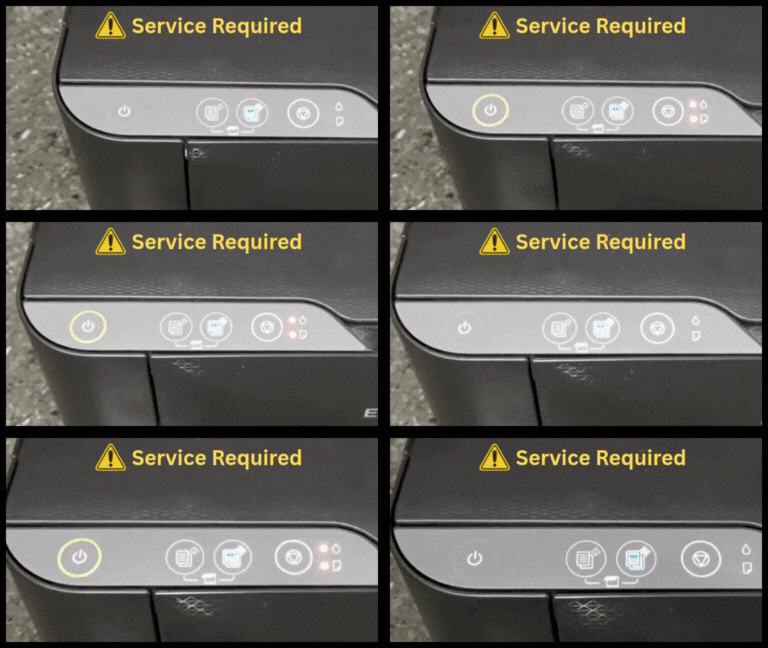
Printer displays warning e-11 error or the ink pad needs service.
🖨️ Why Epson Printers Need a Reset
Epson printers automatically stop working when they detect that the waste ink pad (the sponge that collects excess ink during cleaning) is full.
This is a built-in safety feature to prevent ink from leaking inside the printer.
When this happens, the printer shows an error such as:
- “Service Required”
- “Ink Pad Needs Service”
- “A printer’s ink pad is at the end of its service life.”
The printer will not print until it is reset.
💡 What Resetting Does
Resetting your Epson printer using the Resetter and a Reset Key:
- Clears the waste ink counter (software error).
- Restores the printer to normal working condition.
- Saves time and money—no need for service center visits.
✅ Note: The reset only clears the software warning. The ink pads may still contain ink, so it’s best to clean or replace them, or use an external waste ink tank for long-term maintenance.
🔄 Resetting fixes the Warning
When you perform a reset, you’re not repairing any hardware.
You’re simply telling the printer:
“The waste ink pad has been serviced (or replaced); start counting from zero again.”
The Resetter does this by:
- Reading the waste ink counter value.
- Resetting it to 0%.
- Restoring normal printing function.